

PayTraq supports import of various data in CSV format with a comma separated values.
You can import lists of clients, suppliers, employees, products and services, as well as price lists of products and services.
To import your data, download the appropriate template file, fill it and import it back into PayTraq. If the data from the importing file line is not found then a new data will be added. If the data is found by name or code then current data will be updated.
The template file can be downloaded from the Data Import tab of the appropriate list (clients, suppliers, employees, products, services, price lists).
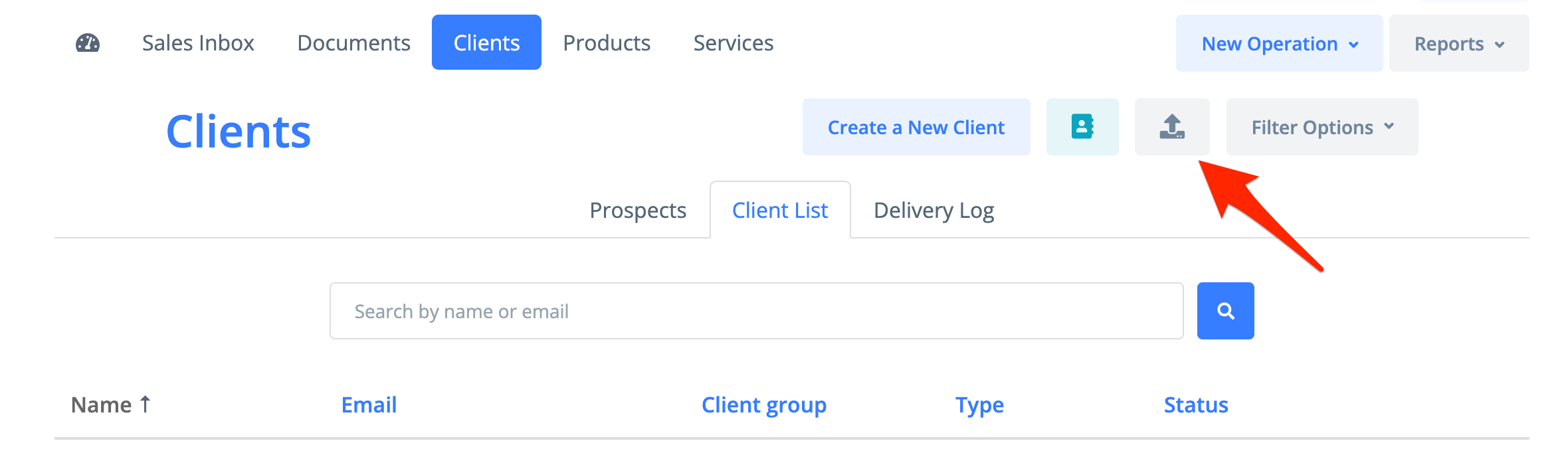
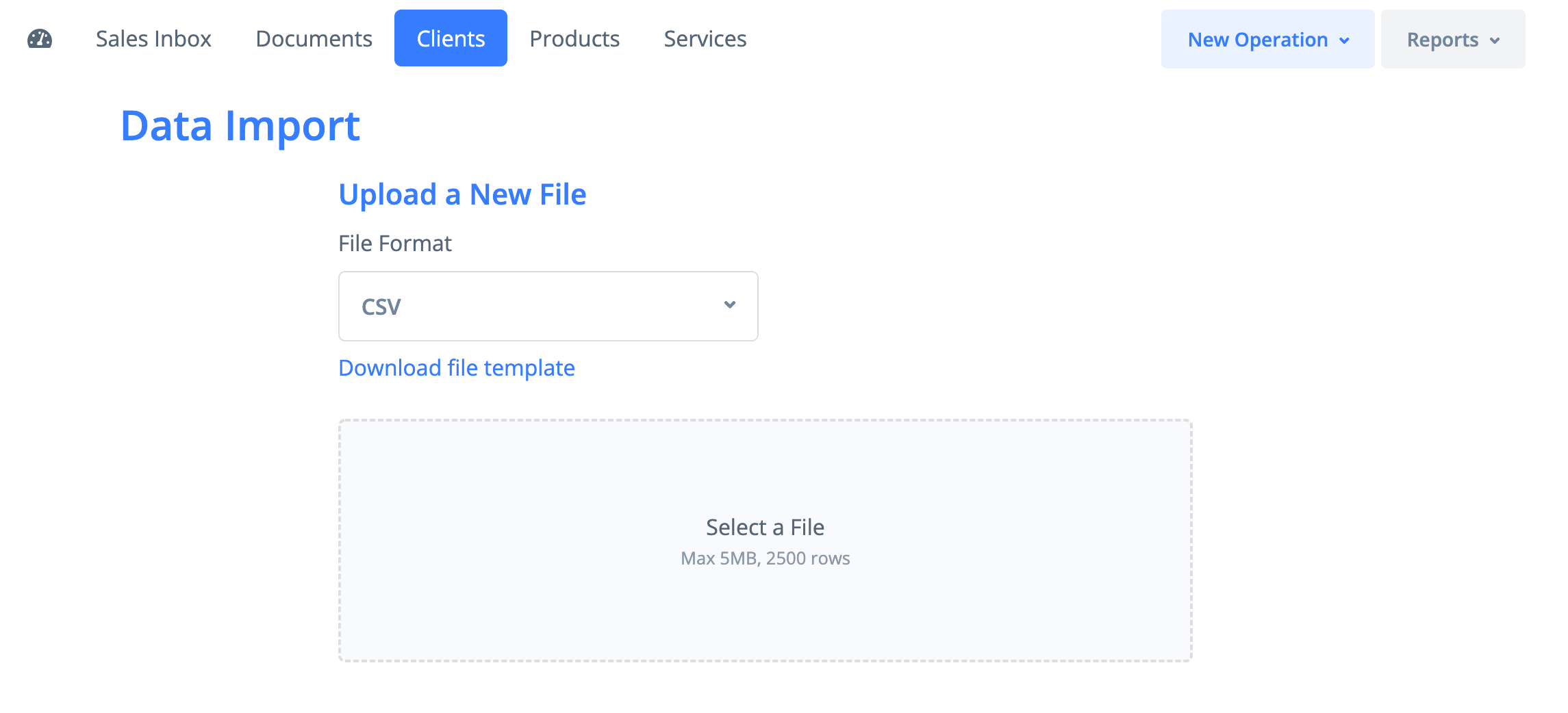
Importing Clients
the file should contain the following sequence of fields, fields should be separated by comma.
Download template
Name | client unique name |
Type | for individuals - 1 , for legal persons/organizations - 2 |
Registration number | client registration number |
VAT Number | client VAT number |
Address (Street, City, Region) | client address |
Postal Code/Zip | client zip code |
Country | client country, the two letter country code |
Phone | client phone number |
client email address | |
Bank name | client bank name |
Bank code | client bank code |
Bank account/IBAN | client bank account number |
Contract No. | client contract number |
Client group | client group name |
Discount | client discount |
Payment terms | NET - days from the date of invoice, EOM - days from the end of the month , COD - cash on delivery, CONSIGN - consignment |
Due days | number of days in payment terms (only for NET and EOM) |
Price group | price group name, a group should be created before import |
Currency | price group currency, the three letter code of the currency |
Project | project name |
Importing Suppliers
the file should contain the following sequence of fields, fields should be separated by comma.
Download template
Name | supplier unique name |
Type | for individuals - 1 , for legal persons - 2 |
Registration number | supplier registration number |
VAT Number | supplier VAT number |
Address (Street, City, Region) | supplier address |
Postal Code/Zip | supplier zip code |
Country | supplier country, the two letter country code |
Phone | supplier phone number |
supplier email address | |
Bank name | supplier bank name |
Bank code | supplier bank code |
Bank account/IBAN | supplier bank account number |
Contract No. | supplier contract number |
Supplier group | supplier group name |
Discount | supplier discount |
Payment terms | NET - days from the date of invoice, EOM - days from the end of the month , COD - cash on delivery, CONSIGN - consignment |
Due days | number of days in payment terms (only for NET and EOM) |
Project | project name |
Importing Employees
the file should contain the following sequence of fields, fields should be separated by comma.
Download template
Name | employee full name |
Type | should be set as 1 |
Registration number | employee identification code |
VAT Number | should be left blank |
Address (Street, City, Region) | employee address |
Postal Code/Zip | employee zip code |
Country | employee country, the two letter country code |
Phone | employee phone number |
employee email address | |
Bank name | employee bank name |
Bank code | employee bank code |
Bank account/IBAN | employee bank account number |
Contract No. | employee contract number |
Employee group | employee group name |
Project | project name |
Importing Products
the file should contain the following sequence of fields, fields should be separated by comma.
Download template
Name | product unique name |
Product code (SKU) | product unique code |
Description | product description |
Product group | product group name |
Unit | unit of measurement, a unit should be created before import |
Type | stockable - 1, consumable - 2, fixed asset - 3 |
Barcode (EAN-13) | product barcode |
Weight | product weight (kg) |
Avg order lead time | product average order lead time (by default - 30 days) |
Standard cost | product standard cost |
Importing Product Price List
the file should contain the following sequence of fields, fields should be separated by comma.
Download template
Name | product unique name |
Product code (SKU) | product unique code |
Price group | price group name, a group should be created before import |
Currency | price group currency, the three letter currency code |
Price | product price |
Is Default | set 1 for default |
Importing Services
the file should contain the following sequence of fields, fields should be separated by comma.
Download template
Name | service unique name |
Service code | service unique code |
Description | service description |
Service group | service group name |
Unit | unit of measurement, a unit should be created before import |
Importing Service Price List
the file should contain the following sequence of fields, fields should be separated by comma.
Download template
Name | service unique name |
Service code | service unique code |
Price group | price group name, a group should be created before import |
Currency | price group currency, the three letter currency code |
Price | service price |
Is Default | set 1 for default |