
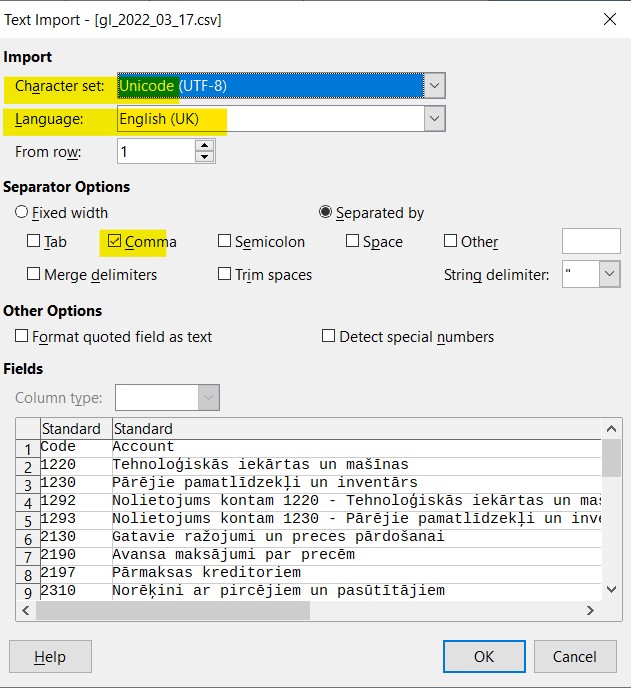
To open CSV with LibreOffice/OpenOffice, you need to select UTF-8 encoding as the character set, English as the language and comma as the list separator.

How can we help?
PayTraq Customer Support
General Questions
Last updated on 21 Jan, 2026
To open CSV with LibreOffice/OpenOffice, you need to select UTF-8 encoding as the character set, English as the language and comma as the list separator.
Related Articles