

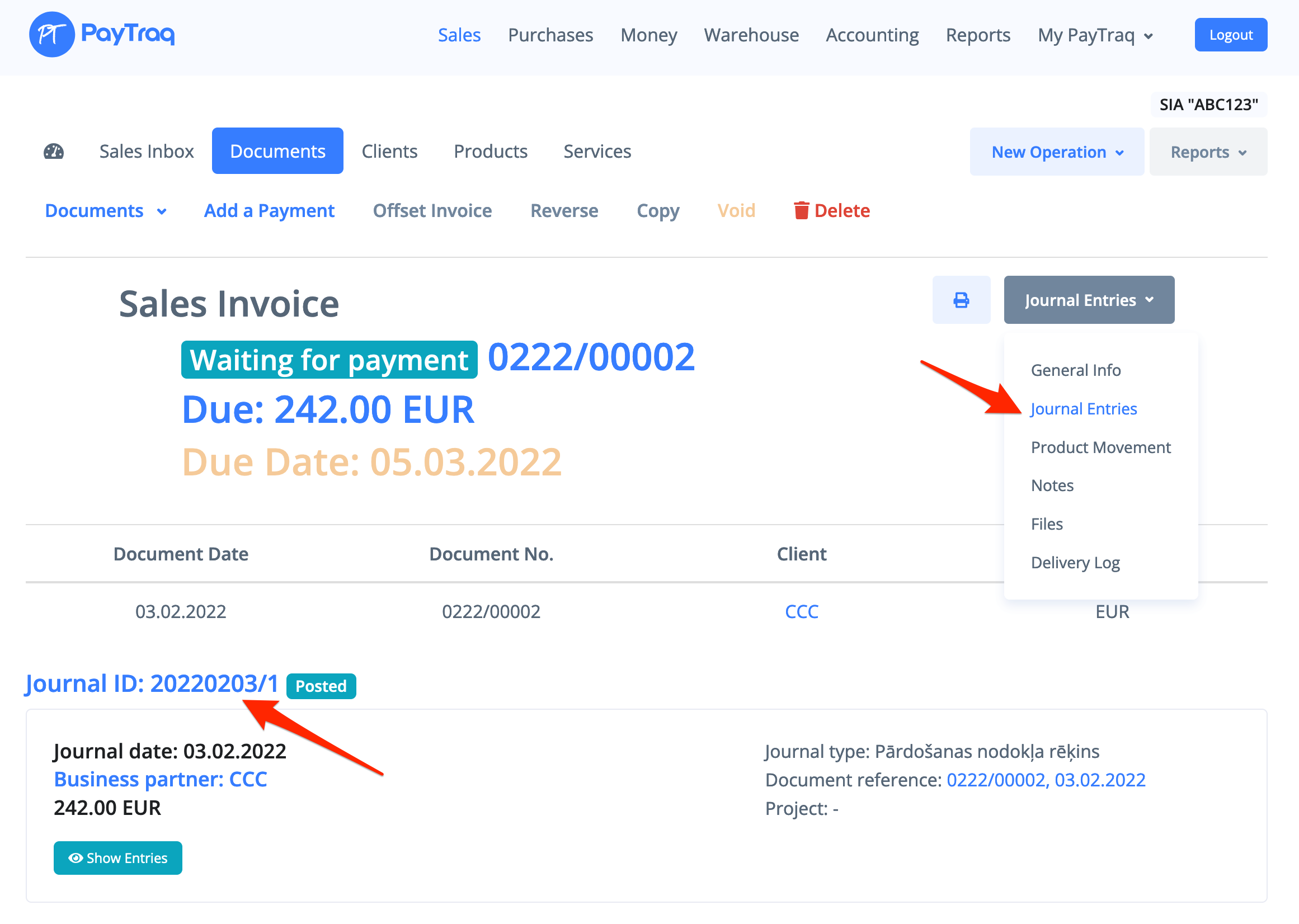
1) Go to Documents and search for the invoice you need to edit. Open it.
2) Go to Journal Entries tab and select a document journal.
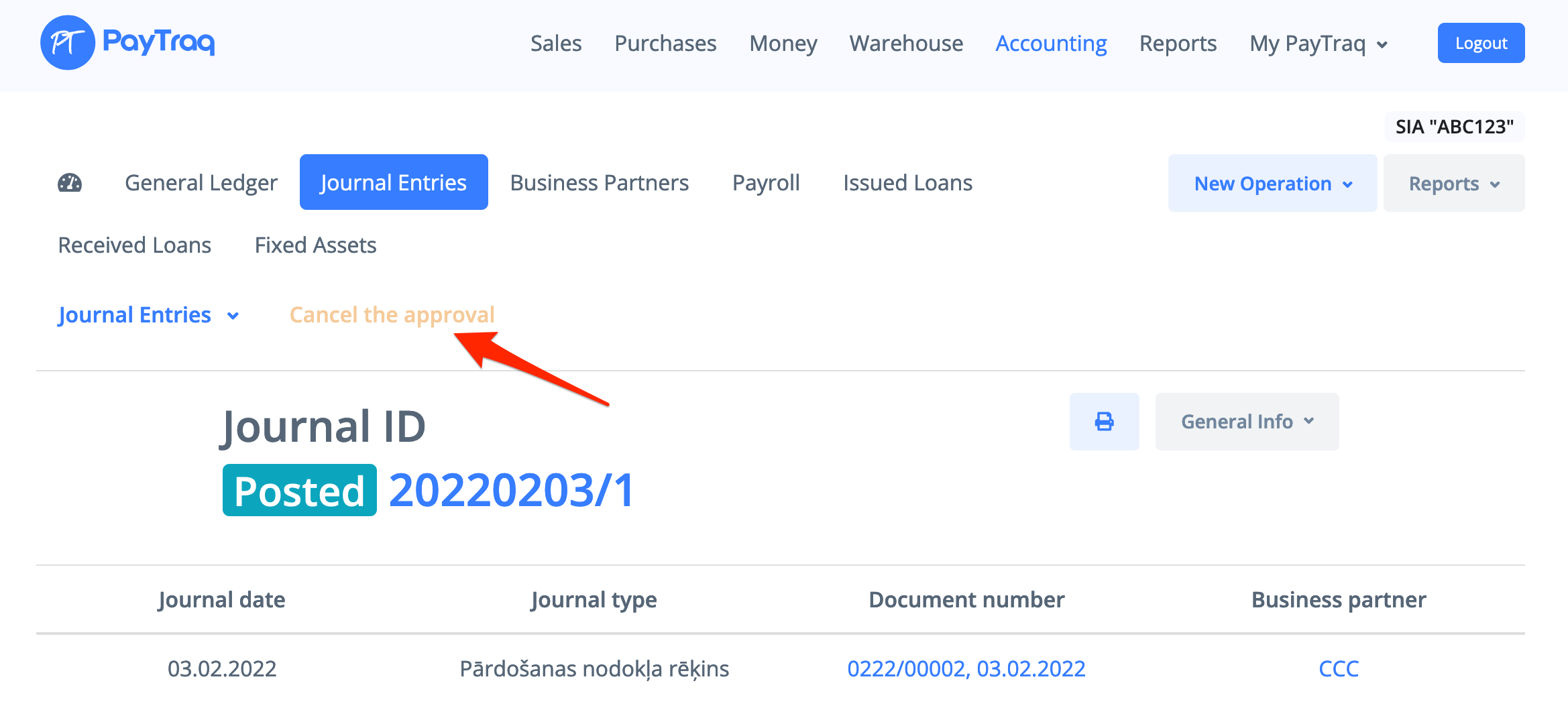
3) Cancel the approval and click "Edit Document".
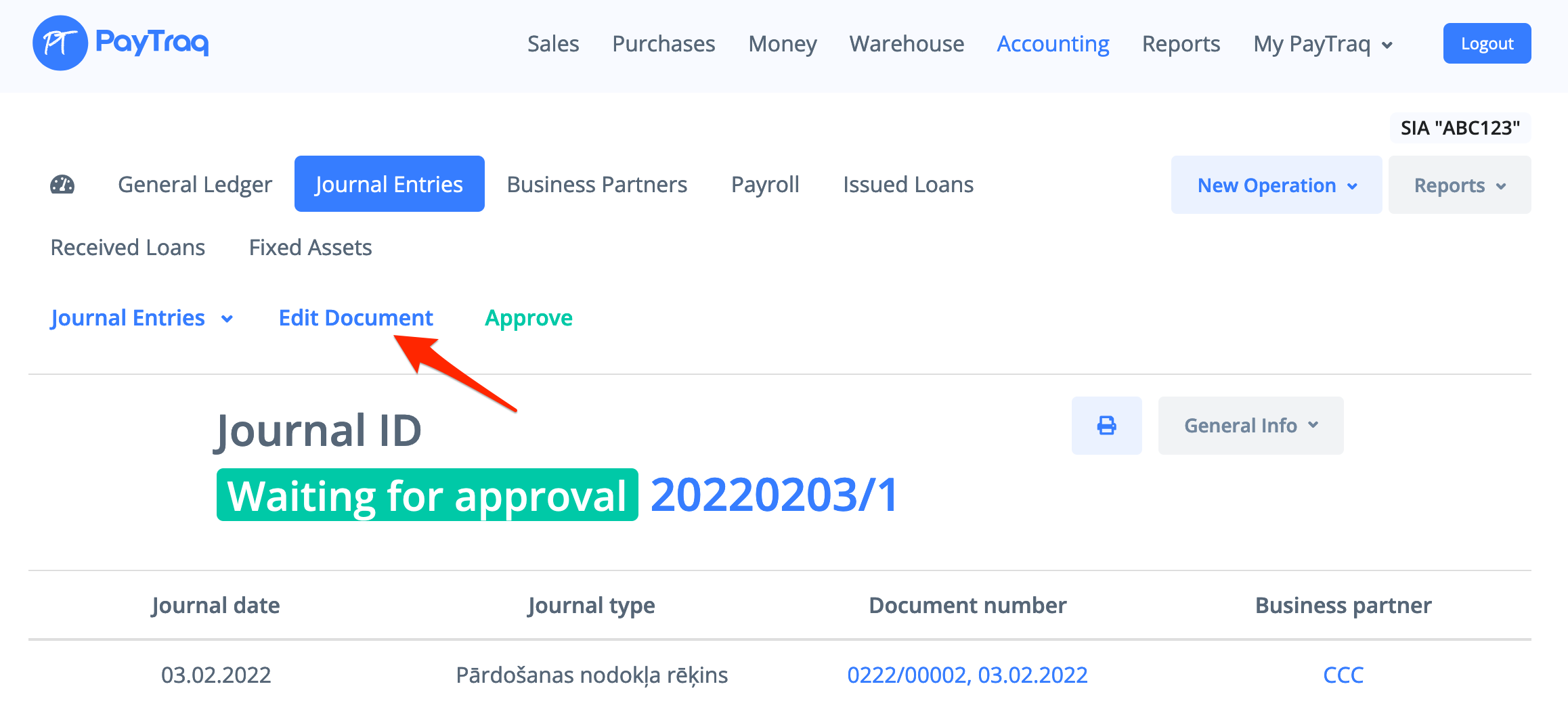
4) Invoice will be opened for editing and journal entries will be deleted.
If invoice payment has been made before, then first you need to delete the payment