
1) An invoice can be canceled if it has not been paid yet.
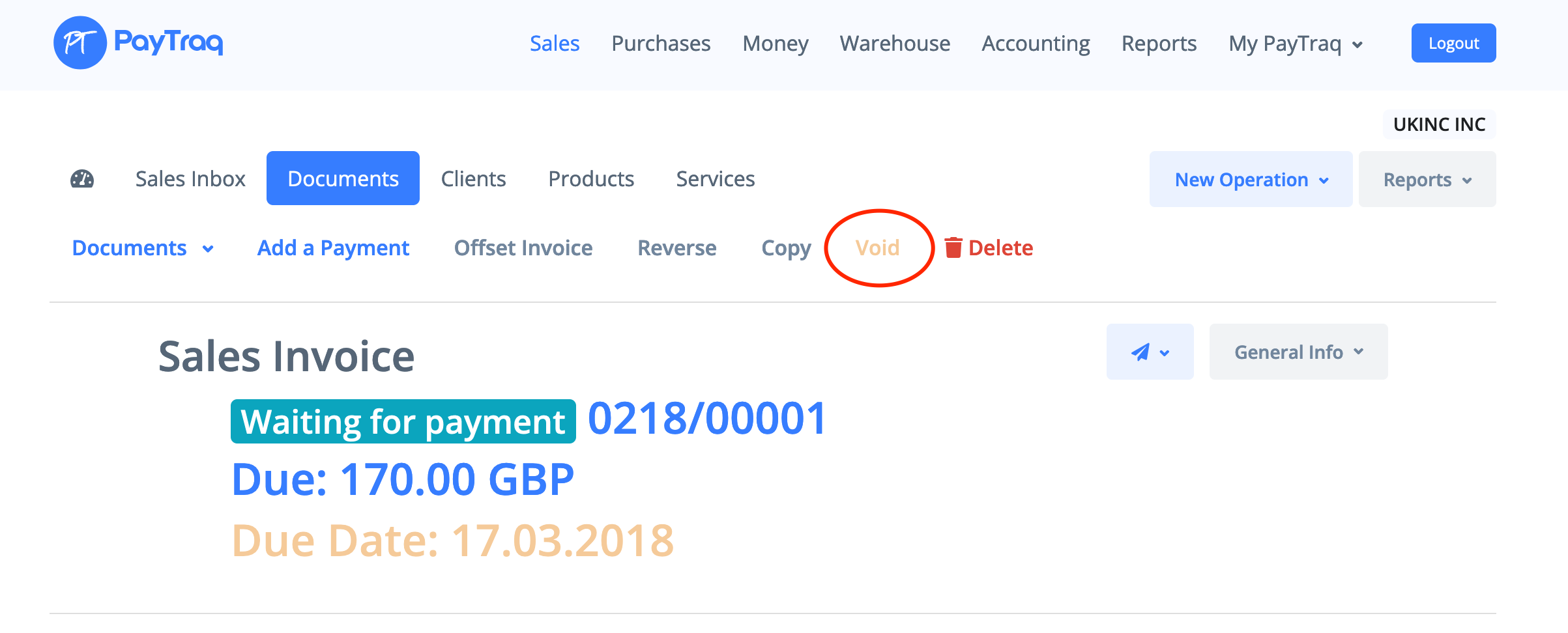
2) Go to Documents and search for the invoice you need to cancel. Open it.
3) Click "Void" to cancel it and then confirm your choice.
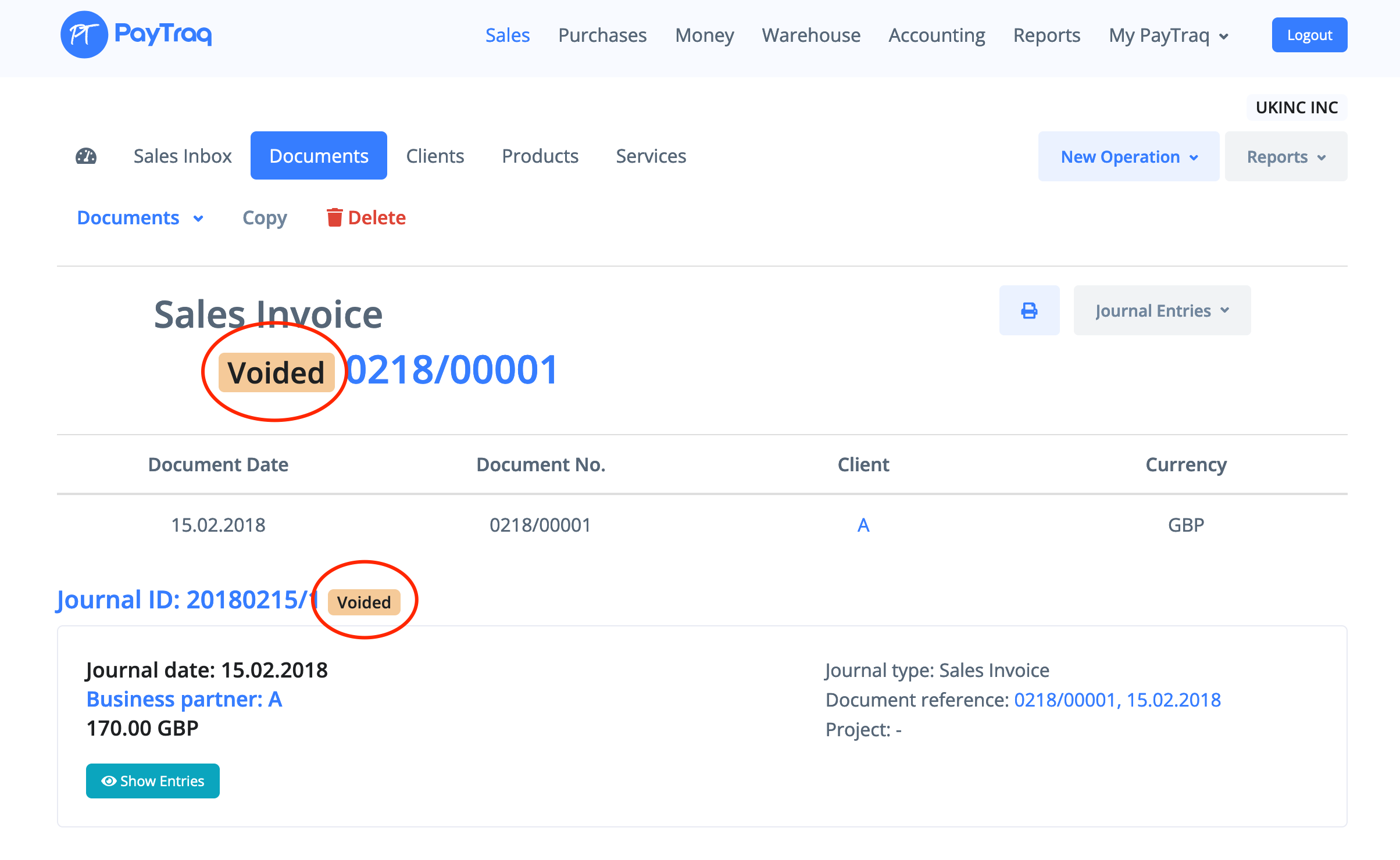
4) Invoice and journal entries will be marked as voided.

How can we help?
PayTraq Customer Support
General Questions
Last updated on 23 Jan, 2026
1) An invoice can be canceled if it has not been paid yet.
2) Go to Documents and search for the invoice you need to cancel. Open it.
3) Click "Void" to cancel it and then confirm your choice.
4) Invoice and journal entries will be marked as voided.