
1) Go to Journal Report and search for the journal you need to delete. Open it.
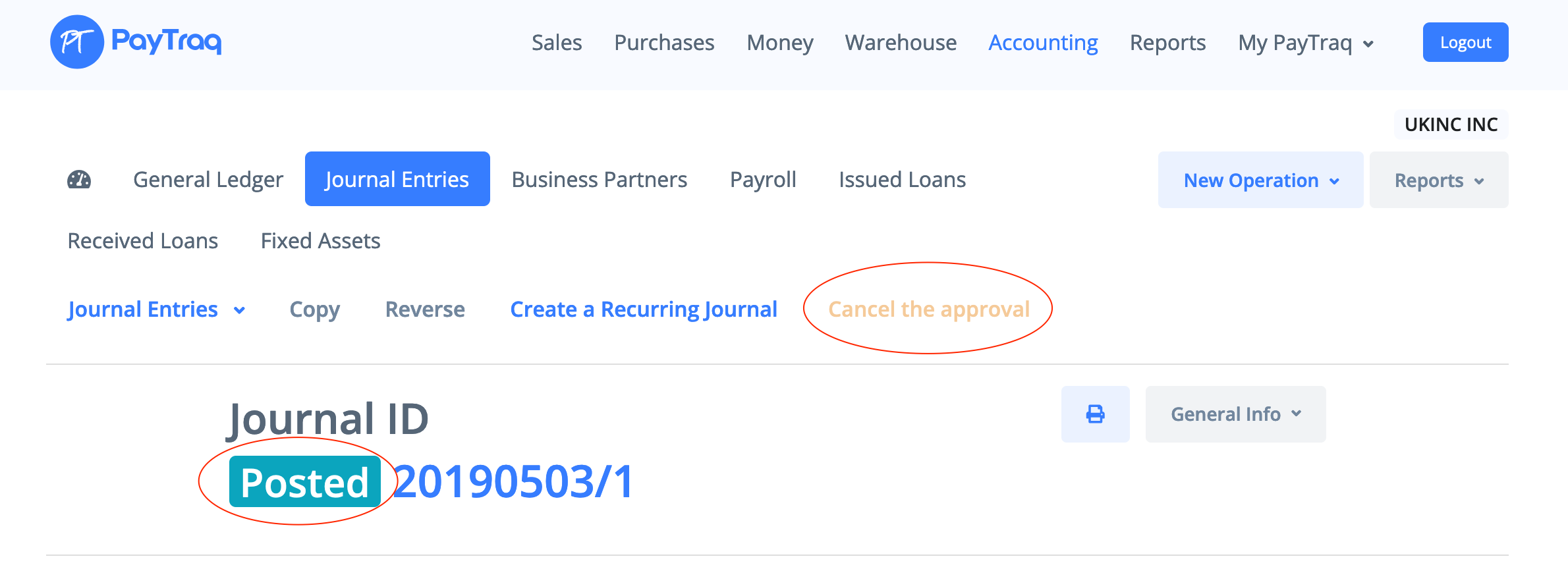
2) If the selected journal is approved then click "Cancel the approval"
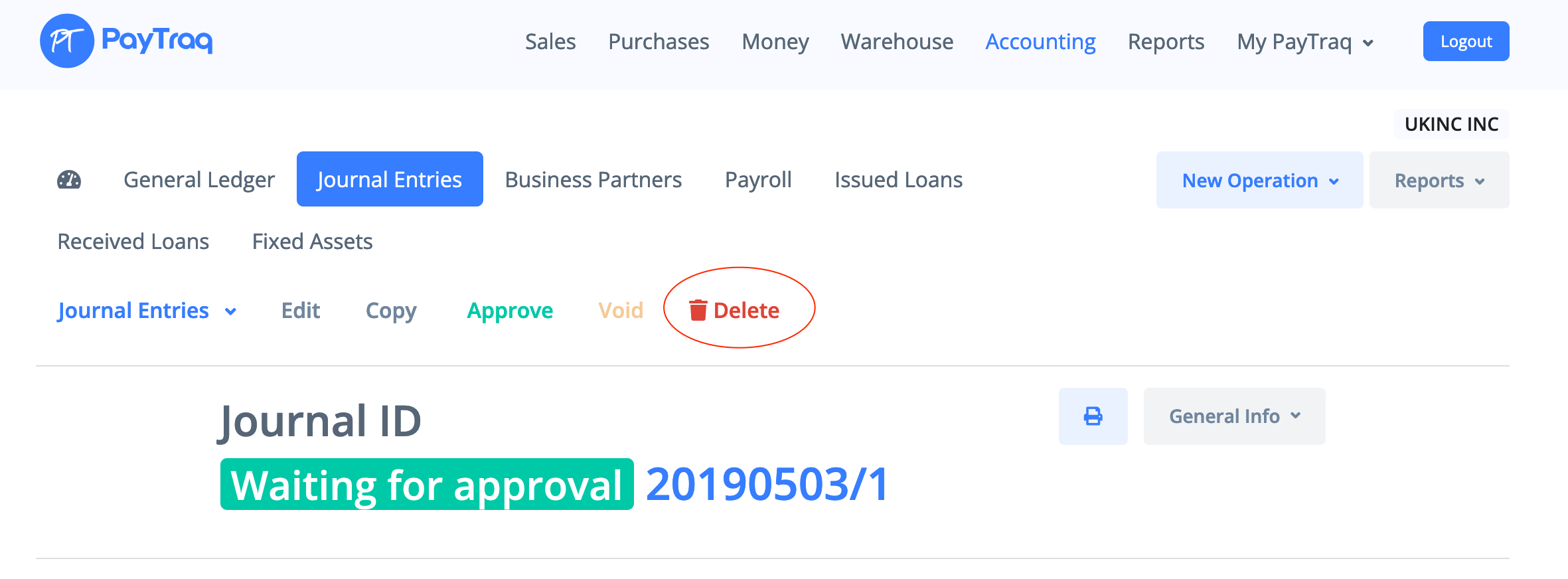
3) Click "Delete" and then confirm your choice. This operation can not be undone.

How can we help?
PayTraq Customer Support
General Questions
Last updated on 07 Mar, 2022
1) Go to Journal Report and search for the journal you need to delete. Open it.
2) If the selected journal is approved then click "Cancel the approval"
3) Click "Delete" and then confirm your choice. This operation can not be undone.